2026 PMP & CAPM Exam Prep Courses
35 Contact Hours Live Virtual 4 Day Weekday or Saturdays!
Get 35 contact hours from our 2026 PMP prep courses and learn on your schedule, live from any city near you with personal coaching from Crosswind CEO Tony Johnson, the Author of 50 books on PM!
Upcoming Course Calendar
Subject
Format
Date
Price
8hr Accelerated Workshop PMP Prep
1 Saturday
May 2, 2026
$99.00
(Early Bird Pricing) normally $199.00
PMP Prep
4 Saturdays
April 18, May 16, 30, June 6, 2026
$1195
(Early Bird Pricing) normally $1495
CAPM Prep
4 Saturdays
April 18, May 16, 30, June 6, 2026
$1195
(Early Bird Pricing) normally $1495
PDUs
4 Saturdays
April 18, May 16, 30, June 6, 2026
$697
(Early Bird Pricing) normally $997
Popular Courses and Products
Classroom and Online Live Courses
Get the best PMP certification training available with PMI approved 35 contact hour courses and pass the PMP exam with confidence! Agile/Scrum courses and customized onsite training at your location are also available. Our public PMP certification training is available in the following formats:
– Online Live
– Weekend Schedule
– Onsite At Your Location

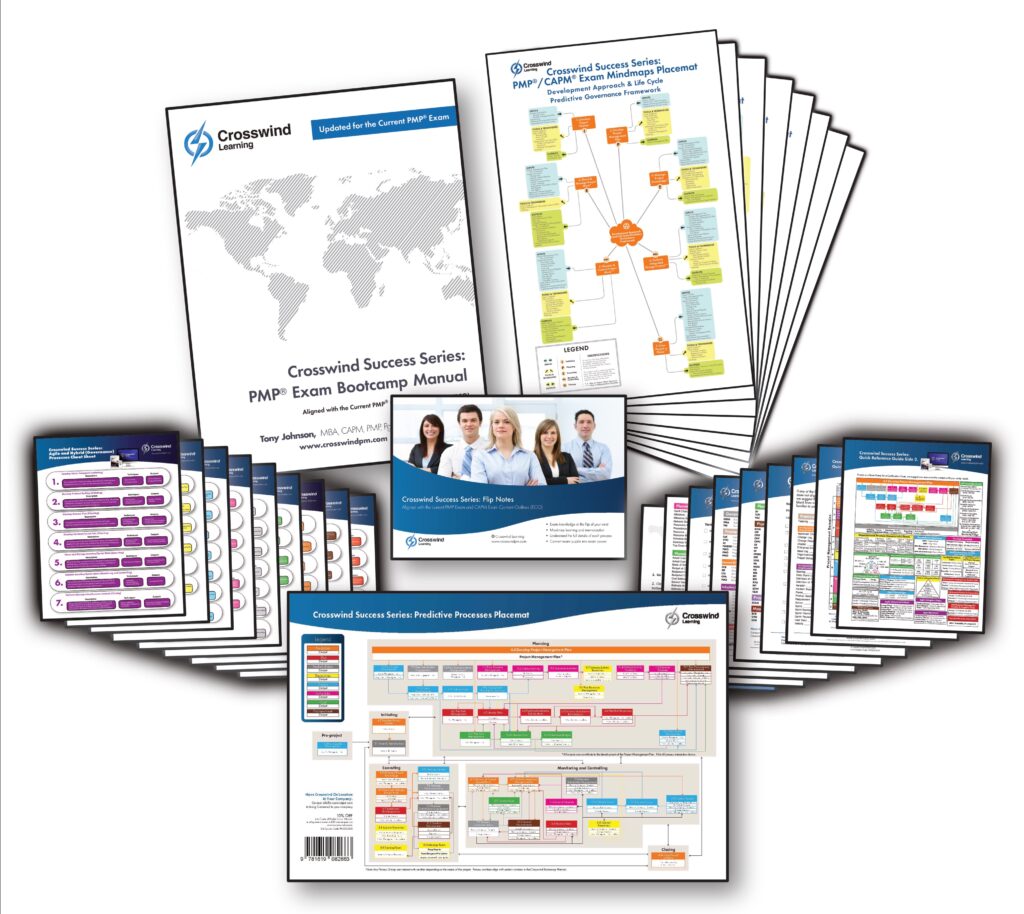
Physical Courseware and Study Products
Get self-study material for PMP Training and certification and pass the PMP exam on your first try!
- Bootcamp Manuals
- Certification Study Systems
- Exam Simulation Apps
- Audio MP3s
- Online Flashcards
Digital Courseware and Study Products
PMP training online at its finest with Crosswind products. You can learn at your own pace anywhere, any time, and on any device with Crosswind digital products. Digital products include:
- Self-paced Online courseware
- Online materials (No PMBOK Guide required)
- Exam Simulation Application (Over 4,800 questions)
- Audio MP3 downloads
Crosswind in the Project Management Community
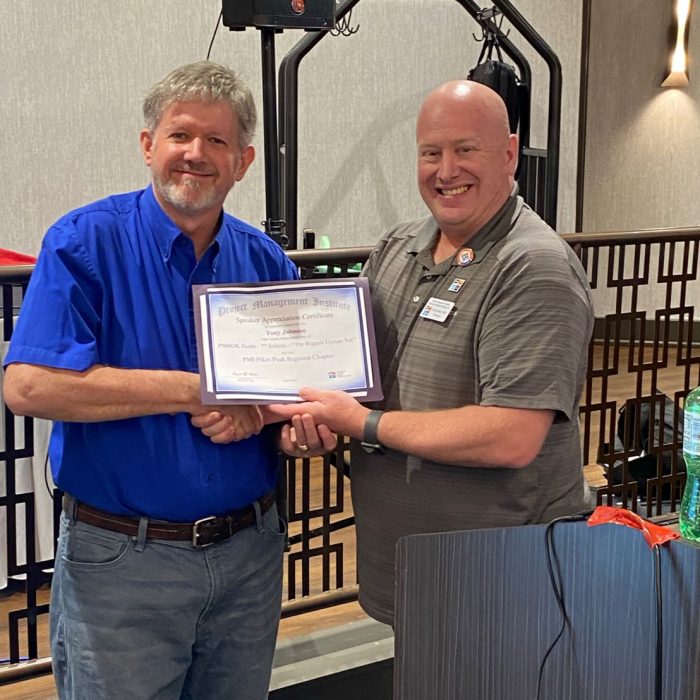
In the month of June 2022, Crosswind Project Management Inc. CEO and Founder Tony Johnson attended the PMI Pikes Peak Regional Chapter Convention as a guest speaker. Tony was presented with a Speaker Appreciation Certificate by the PMI President. Tony presented on PMBOK Guide 7th edition and Upcoming Exam Changes, knowledge areas, ITTO’s and the 49 processes that are no longer in the PMBOK Guide, 7th edition.
If you are interested in hearing about these changes, Tony recently did a live webinar covering the new PMBOK Guide 7th Edition. Click Here to watch on YouTube.
2026 Crosswind Courses and Courseware Updates
All Crosswind PMP training courses and courseware are updated to align with the current 2025 PMP Exam. These updates include our best-selling PMP Exam Bootcamp Manual, Premium Exam Simulation Application, PMP Certification Study System, and PMTV PMP self-paced online training.
At the beginning of 2021, PMI officially cut over to a new PMP Exam Content Outline (ECO) that reflects three new performance domains: People, Processes, and Business Environment. Per ISO 17024, which is what the PMP Certification must align with as an ANSI Standard, this Exam Content Outline (ECO) will be what the PMP Exam is based on from 2021 for the next 5 to 7 years.
A common misinterpretation is that the current PMP Exam and related PMP certification training should be based on the seventh edition of the PMBOK Guide. It’s important to note that per PMI, the PMP Exam as of the beginning of 2021, is based on the Exam Content Outline (ECO), and that it does not align with the current or past PMBOK Guide any longer. The PMBOK guide has been “decoupled” from the PMP Exam. Along with other project management books, the PMBOK Guide could be used as a reference to create exam questions.
Crosswind courses and products are the gold standard as the best PMP Exam training and best PMP Exam courseware.
PMBOK Guide Eighth Edition Exposure Draft Process
At the end of 2024 PMI released an exposure draft of the PMBOK Guide Eighth Edition for public opinion and review. This 30 day window allows project managers in the general public to review the publication and voice opinions on how it is designed and any errors, omissions, etc. Once this 30 day window closes PMI will review all the comments and continue with the development of the PMBOK Guide Eighth Edition to be released at some point in the future. As of this post they have not mentioned a release date, but based on historical life cycles we anticipate it will be released in late 2025 or early 2026.
Some of the major updates include the following:
- This version is a significant change from the Seventh Edition in that it goes back to more of a structure aligned with the Sixth Edition and earlier versions.
- The PMBOK Guide Eighth edition goes back to a somewhat knowledge areas and/or process groups structure compared to the Seventh Edition.
- The PMBOK Guide Eighth edition has a return of processes, and/or Inputs, Tools and Techniques, or Outputs.
- The PMBOK Guide Eighth edition has a common design structure for Inputs, Tools and Techniques, or Outputs.
- The new edition removes formal items in performance domains like Project Work and Measurement.
- Subjects like Delivery and Uncertainty from the Seventh Edition have been renamed more traditional names again like Scope and Risk.
- The Eighth edition PMBOK Guide appears to be designed to be a stand alone standard unlike The PMBOK Guide seventh edition which needs the sixth edition or process groups practice guide as a basis to help identify the processes you will apply in the workplace.
- The eighth edition or seventh edition is NOT the basis, nor a reference for the current PMP Exam, other than content that was already in the sixth edition PMBOK Guide.
PMBOK Guide Seventh Edition is Released
In the summer of 2021, PMI released the long-awaited update to the PMBOK Guide. The new version is the seventh edition and is about 550+ pages less than the sixth edition. Some of the major updates include the following:
- This is the first version that does not serve as a replacement to the previous version. That means that there are items in the sixth edition that a project manager might want to reference that are not in the seventh edition when they are applying project management in the workplace.
- The PMBOK Guide seventh edition no longer has knowledge areas or process groups.
- The PMBOK Guide seventh edition no longer has processes, or Inputs, Tools and Techniques, or Outputs.
- The new edition includes performance domains and principles. NOTE: These are not simply a rename of items from the sixth edition.
- The models, methods, and artifacts section of the new PMBOK Guide include large numbers of common techniques and documents that were referenced in the sixth edition.
- The PMBOK Guide seventh edition needs the sixth edition or process groups practice guide as a basis to help identify the processes you will apply in the workplace.
- The seventh edition is NOT the basis, nor a reference for the current PMP Exam, other than content that was already in the sixth edition PMBOK Guide.
Real talk from our real customers
Loyal clients, they don’t just come back, they don’t simply recommend Crosswind, they insist that their co-workers and friends do business with Crosswind because we have earned their trust!
Why Crosswind?
World class courseware and learning products with cutting-edge advanced learning techniques, based on industry leading exam intelligence and customer care. It’s time for professional development the Crosswind Way! Helping to grow the project management profession and PMP Prep in over 72 countries since 2000.
- In business for 26 years
- Trained thousands of students live
- Contributed to over 10% of all PMPs globally via courseware sales
- No PMBOK Guide needed and over 99% student pass rate (as of January 02, 2021)
At Crosswind we don’t just tell people how to pass the exam, but how to become better project managers, regardless of industry. Everyone learns differently and needs different things on their learning journey to maximize their career evolution as practitioners in project management or agile development with popular frameworks, such as Scrum.
Our PMP certification courses and product lines are fully updated for 2025 PMP Prep. If you need a live course, an onsite course at your location, a bootcamp manual to study, or practice questions to reinforce learning, Crosswind products are fully 2025 PMP Prep and CAPM Prep ready

Study & Learn Smart!
Industry leading courseware and classes help you learn principles and skills to earn industry credentials and be a better project manager and agile practitioner.

Outstanding support
Rule #1 at Crosswind is “take care of people.” Users rave about how we don’t rest until any issue is solved to their satisfaction.

Secure checkout
With 128-bit SSL security with advanced encryption you are guaranteed that your purchases are safe.
Our Product Lines
Select the button below to see our products for the specific certification.